How to create an online meishi business card in 5 minutes (no app)
By Meishi Business Cards Online Editorial Team | Published | Updated | Guides
You don't need design skills or an app to get a professional online meishi business card live today. Here's the exact five-minute process.
Can you really create an online meishi business card in 5 minutes?
Yes — if you use a ready-made builder rather than starting from scratch, creating and sharing an online meishi business card takes about five minutes because all you're really doing is filling in your details and picking a template. There's no coding, no app download for the people you send it to, and no design software involved. This guide walks through the exact steps to get you set up efficiently.
What do you need before you start?
Have these ready so you're not hunting for them mid-setup. Preparation is the key to sticking to the five-minute timeframe:
- A clear, professional photo or company logo (square format, ideally at least 400x400px).
- Your exact job title and company name as you want them to appear.
- A professional phone number and email address.
- Links to your website, LinkedIn profile, or a booking page like Calendly.
- A catchy one-line description of what you do (this becomes your primary headline).
Step 1: Choose an online meishi business card builder
Pick a provider that lets you edit your card after publishing, works on any phone without an app, and gives you a shareable link or QR code. This is the single most important decision, because a card you can't update becomes outdated the moment your phone number or job title changes. Browse online meishi business card options built for exactly this — quick setup, instant editing, and no app required for viewers. Look for a platform that feels intuitive and offers the aesthetics that match your professional brand.
Step 2: Add your personal and professional details
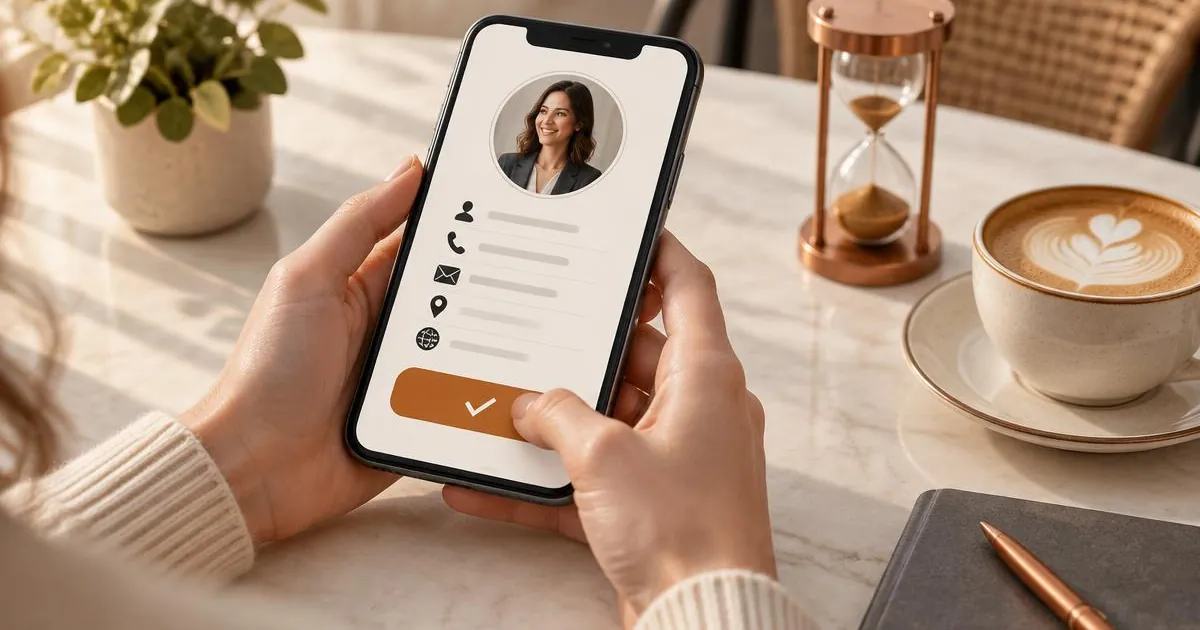
Fill in your name, title, company and a short bio. Keep the bio to one or two sentences — this isn't a CV, it's the digital equivalent of a meishi business card, so it should answer "who are you and what do you do?" in under ten seconds of reading. In the UK market, keeping things concise and professional is often preferred over lengthy, overly sales-focused descriptions.
- Name and job title (essential).
- Company name and logo, if applicable.
- Short bio or tagline that highlights your unique value proposition.
- Contact buttons: call, email, WhatsApp, and physical address if relevant.
Step 3: Add your links and social media
Add links to anywhere you want people to go next — your website, booking calendar, LinkedIn profile, portfolio, or social channels. Most builders let you reorder these, so put the most important action (book a call, visit the website, add to contacts) first. For many professionals in 2026, LinkedIn is the primary secondary destination, so ensure that link is prominent.
Step 4: Choose a design and match your brand colours
Pick a template and match your brand colours if the tool allows it. This step takes seconds but matters immensely — a card in your brand colours looks intentional rather than generic, and is more memorable when someone scrolls back through their messages later. Consider the psychology of colour; blues often convey trust and professionalism, while greens can suggest growth or sustainability.
Step 5: Publish and distribute your link or QR code
Once published, you'll get a unique link (and usually a QR code) for your card. Add the link to your email signature, WhatsApp Business profile, LinkedIn "featured" section, and any invoices or proposals you send out. If you attend events or meetings in person, a QR code on your phone or slides means people can save your details without you needing to hand over a paper card. You can even add the QR code to your phone's lock screen for the ultimate convenience.
Choosing the Right Layout for Your Profession
The layout of your online meishi business card should reflect your industry. A corporate lawyer might opt for a minimalist, monochrome design with a focus on contact buttons. A graphic designer, on the other hand, should use a layout that allows for a larger header image or a link to a visual portfolio. Ensure the hierarchy of information leads the eye to the most important call-to-action first.
Integrating with Your Existing Workflow
Your online card shouldn't exist in a vacuum. Integrate it into your daily tools:
- Email Signature: Replace your cluttered text signature with a simple "Scan or click to save my contact details" link.
- Video Conferencing: Use a virtual background that includes your card's QR code, making it easy for participants to connect during a Zoom or Teams call.
- CRMs: Many providers allow you to sync leads directly to platforms like HubSpot or Salesforce, automating your follow-up process.
Accessibility: Ensuring Everyone Can Read Your Card
A professional card should be accessible to everyone. This means using high-contrast text and background colours to help those with visual impairments. If your builder allows for alt-text on images, use it for your logo and headshot. Ensure the font size is legible even on smaller smartphone screens.
Measuring Success: What Do Your Analytics Actually Mean?
Most modern platforms provide analytics. "Views" tell you how many people have seen your card, while "Clicks" show which specific links are most popular. If you notice a high number of views but very few clicks, your headline or call-to-action buttons might need to be more compelling. Use this data to refine your profile over time.
Do I need an app to share or view it?
No. A genuine online meishi business card opens in any web browser, so the person receiving your link or scanning your QR code doesn't need to install anything. Not needing an app is one of the main reasons people actually open and save your card.
How is this different from a digital or virtual meishi business card?
An online meishi business card is the link/web-page version; if you mostly share in person by QR scan, look at a digital meishi business card, and if your priority is getting saved straight into someone's phone contacts, a virtual meishi business card built for email signatures and video calls is the better fit. Many people use all three ways together, since one profile can be shared by link, by QR code and from a signature.
Frequently asked questions
Is it free to create an online meishi business card?
Many providers offer a free tier with basic features, which is perfect for individuals just starting out. However, for custom branding, advanced analytics, and removing the provider's logo, you'll usually need a paid subscription. We list various options in our online meishi business cards guide.
Do I need to be a designer to make it look good?
Not at all. The best builders provide professionally designed templates where you just swap out the text and images. As long as you have a high-quality photo and follow the template's guidelines, your card will look excellent.
Can I update my photo later?
Yes, and that's the beauty of it! Unlike paper cards where you're stuck with your photo for months, you can update your online card in seconds. If you get a new headshot or change your hair, your digital presence can reflect that immediately.
Will it work on a desktop computer?
Yes. While they are designed primarily for mobile use, online meishi business cards are responsive and will look great on a laptop or desktop screen as well. This is useful for people you connect with via email on their computers.
How do I share it via WhatsApp?
Simply copy your unique card URL and paste it into a WhatsApp message. Most phones will generate a small preview of your card (including your photo and title), making the link look professional and inviting to click.
Can I add a video introduction?
Many premium platforms now support embedding a short video (like a YouTube or Vimeo link). This can be a fantastic way to introduce yourself personally and stand out from the crowd, especially in service-based industries.
Common mistakes to avoid
- Using a personal photo that's too casual — first impressions still matter, even in the digital world.
- Overloading it with links — stick to three or four key actions to avoid decision paralysis for the viewer.
- Forgetting to test on both iPhone and Android before sharing widely to ensure compatibility.
- Not updating it — the whole point is that it's editable, so keep it current as your career progresses.
Where to go next
Meishi Business Cards Online is an independent digital meishi business card storefront powered by the Let’s Connect platform, offering online, digital and virtual meishi business cards. Got questions about which setup suits your team? Get in touch or read more about us.
Quick recap: the 5-minute checklist
- Gather your photo, contact details and links.
- Pick a builder that lets you edit after publishing.
- Add your details and a one-line bio.
- Add your key links, most important first.
- Choose your brand colours and publish.
- Share your link or QR code everywhere you currently share a phone number.
Related guides
Want more detail on each step? Our step-by-step guide to creating an online meishi business card covers planning, the buying checklist and common mistakes, and what to include on your online meishi business card lists every section worth adding.