Online business card vs personal website: which do you need?
By Business Cards Online Editorial Team | Published | Guides
An online business card and a personal website both put you online, but they do different jobs. Here is how they compare and how to decide.
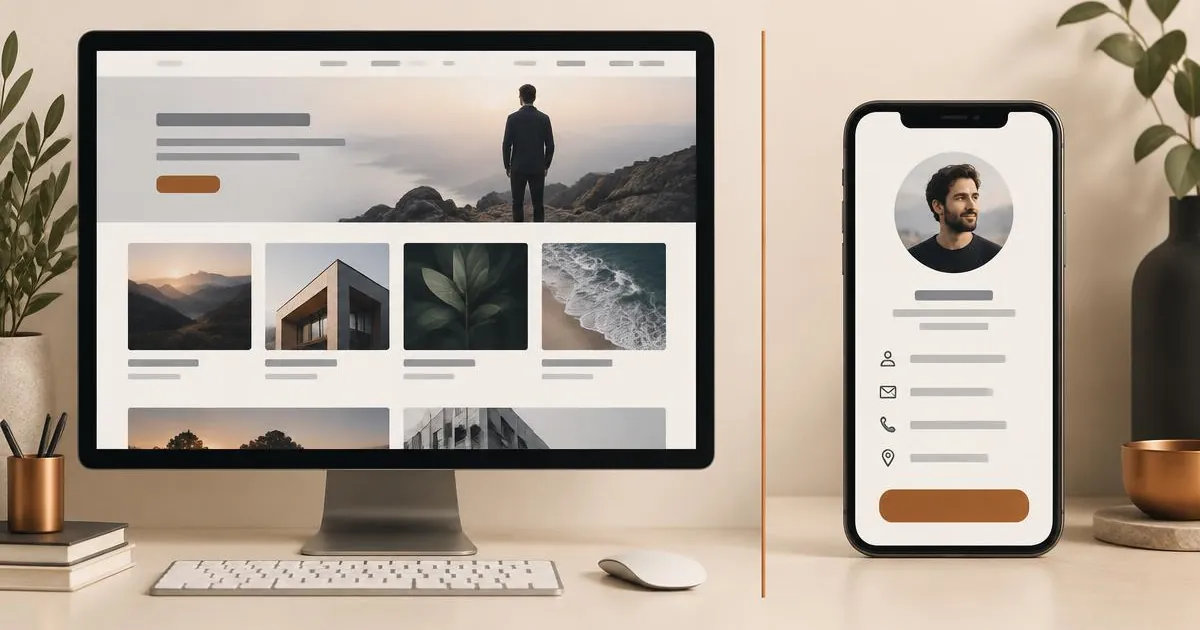
An online business card is a single mobile page built to help someone save your contact details and take one next step, shared by link or QR code. A personal website is a multi-page site built to explain your work in depth and be found in search. Most people need the card first; some need both.
The short answer
If your main goal is to be easy to contact after an introduction — a call, a meeting, an email exchange — an online business card does that job with less effort. If your main goal is to publish detailed information, attract people who have never heard of you through search engines, or sell directly from your own pages, a personal website does that job better. The two are not rivals. Many professionals use the card for introductions and link from it to their website for the detail.
What each one is designed to do
Online business card
An online business card is a live profile at its own web address. It typically shows your name, role, photo or logo, contact buttons, social links and a "Save contact" button that adds your details to the other person's phone. You share it with a link in a message, a QR code on your screen, your email signature or your social bio. It is designed for speed: the person opening it should understand who you are and be able to contact you within a few seconds.
If you have not set one up before, our step-by-step guide to creating an online business card walks through the whole process.
Personal website
A personal website is a set of pages on a domain you control. It can hold an about page, services, case studies you have permission to publish, articles, a contact form and, if you choose, a shop. It is designed for depth and discoverability: someone can spend ten minutes reading it, and search engines can index each page separately.
Side-by-side comparison
| Question | Online business card | Personal website |
|---|---|---|
| Main job | Make you easy to save and contact | Explain your work in depth and be found |
| Typical length | One mobile page | Several pages |
| How people arrive | A link or QR code you share | Search engines, links and your own sharing |
| Set-up effort | Filling in a profile and choosing a template | Planning pages, writing copy, choosing hosting and a domain |
| Ongoing upkeep | Edit details when they change | Content, software updates, hosting renewals |
| Saving your contact | Built in, usually one button | Possible, but has to be added |
| Cost model | Depends on the provider; ours is a one-time plan price | Usually recurring hosting and domain fees, plus any build cost |
When an online business card is enough
An online business card on its own covers the job well when:
- Most of your work comes from people you meet, are introduced to or speak to on calls.
- You want people to save your details rather than read long descriptions.
- You need something working quickly and do not have time to plan and write a full site.
- Your details change — a new role, phone number or booking link — and you want one place to update them.
- You already have a company website, and you simply need a personal profile that points to it.
On the plans we list, the card can also hold more than contact details: documents, a gallery, products, testimonials you have collected yourself and a blog section are part of the Brand Presence plan, and the Business Add-ons plan adds tools such as bookings, inquiry forms and contact leads. That covers a lot of what a small personal site is often built for. See the online business card page for the full feature list.
When you also need a personal website
A website earns its extra effort when:
- You want to be found by people searching for your service, and you are prepared to write useful pages for them.
- You publish long-form work: articles, research, detailed portfolios or courses.
- You need full control over the design, structure and domain name.
- You sell directly from your own pages with a shop or booking system of your choice.
Even then, the website rarely replaces the card. Sending someone your home page after a meeting asks them to hunt for your phone number. Sending them a card lets them save it in one step, with your website one button away.
Using both together
The most common set-up is simple: the online business card is what you share, and the website is where people go for detail. To make the two work together:
- Add a clear "Website" button to the card, ideally linking to the most relevant page rather than the home page.
- Add a link to your card from the contact page of your website, so visitors can save your details.
- Use the same photo, name and job title on both, so people recognize you.
- Keep the facts in sync. When your phone number or role changes, update both on the same day.
Not sure what belongs on the card itself? Our checklist of what to include on your online business card covers each section.
How to decide in five minutes
Answer three questions honestly:
- Where do your new contacts come from? Mostly from introductions and conversations points to a card. Mostly from search points to a website.
- What do you want them to do next? Save your number, book a call or send an inquiry suits a card. Read your thinking in depth suits a website.
- How much time can you give it each month? A few minutes suits a card. A few hours suits a website.
If two or more answers point to the card, start there. You can add a website later and link the two. Freelancers and consultants often find the card covers most of their needs; we look at that in more detail in online business cards for freelancers and consultants.
Frequently asked questions
Can an online business card replace a website?
For some people, yes — particularly when work comes from introductions rather than search and the card holds services, documents and a contact form. If you need to rank in search for many topics or publish long articles, a website is the better tool.
Will an online business card appear in Google?
It may, but that is not what it is designed for. Treat it as something you share directly. If being found in search matters, build a website with pages written for the questions your clients ask.
Do I need my own domain for an online business card?
No. The provider gives your card its own web address. You can still link to it from your own domain if you have one.
Which is quicker to set up?
The online business card. You fill in a profile, choose a template and share the link. A website involves planning pages, writing copy and arranging hosting.
Can I link my website from my online business card?
Yes. Add it as a button or link. Pointing to a specific page, such as your services page, usually works better than the home page.
Next step
If the card is the right starting point, compare the online business card for sharing by link, the digital business card for meeting people in person, and the virtual business card for email signatures and video calls. All three use the same live profile and the same two one-time plans.